
GuideCSR Reporting
From a Verified Hour to a Report You Can File
How a manager builds a contribution report, a CSRD or VSME template, a GRI view or a board presentation in Evenhall, and what sits behind every figure.
The programme
On this page
- Key facts
- Where report figures come from
- The reports you can build
- What a template is, and what it is not
- Sharing, exporting and the audit log
- Who sees what
- Getting your people in
- Building your first contribution report
- Try it before you apply
- Verify this
- Frequently asked questions
- Notes and sources
You are accountable for a report someone else will read: a board deck, a CSRD or VSME disclosure, an annual summary. You did not choose a volunteering platform and you do not want to administer one. You want to know how many people took part, what happened, and whether the numbers will survive being questioned.
This guide walks through what Evenhall gives you for that job, from the session record at the bottom to the PDF at the top, so that you know what each figure consists of before anyone asks.
Key facts
- Verified volunteering hours are backed by session records showing the employee, programme, date and credited time. Participant identities stay with TEEI.1
- For a one-to-one session, a verified hour is the time the employee and the participant spent connected together, with a floor of five minutes of shared attendance. Records awaiting evidence stay separate from the headline.2
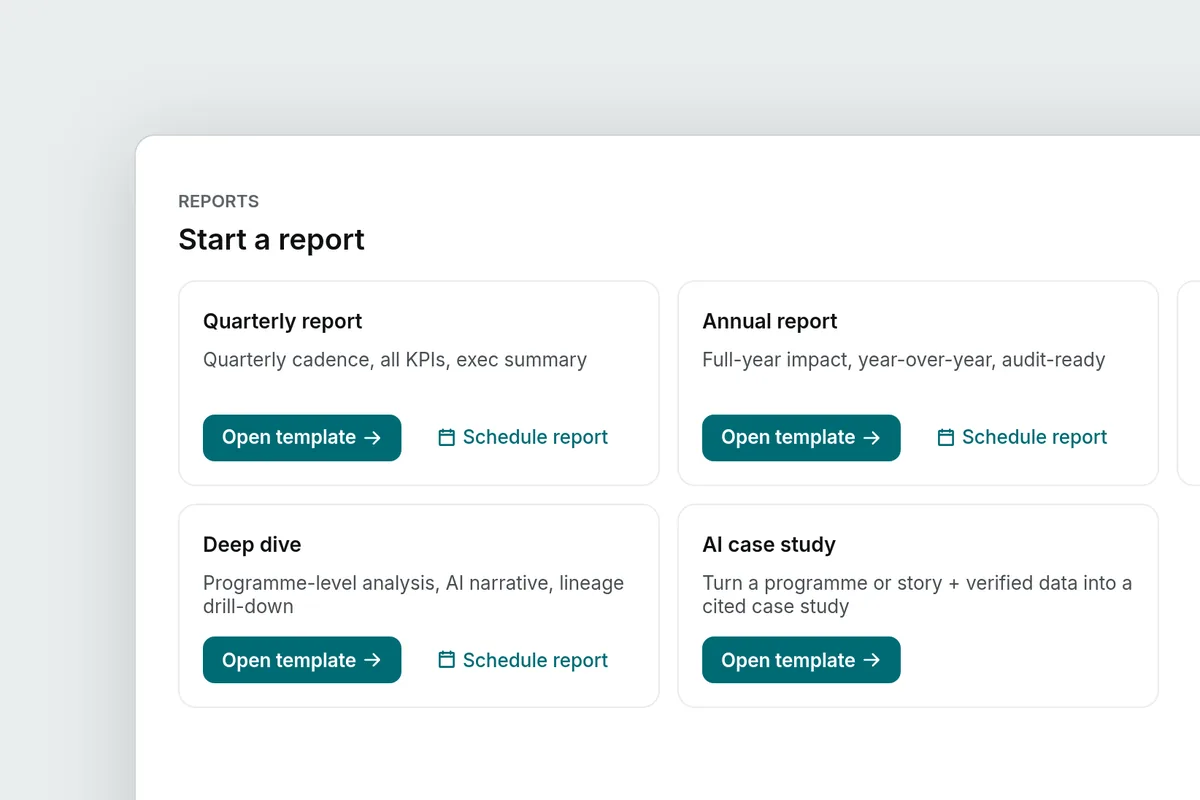
- You build reports for different readers from recorded activity and the other information each report requires: a contribution report for a period, a compliance view laid out against ESRS S1, a VSME template, GRI and IFRS views, participation and impact reports, and a board presentation.1
- You share a report by a link you control, or export it as a PDF or CSV. Creating a contribution-report link is recorded in the audit log.1
- The workspace is free for every partner, with no employee cap. You apply with a work email, and we review and approve each workspace ourselves.3
Where report figures come from
Verified volunteering hours come from session records showing the employee, programme, date and credited time. Other figures, such as workforce headcount, use other company records. A one-to-one language conversation, a mentoring session and a Skills Academy workshop each leave a record of that shape.
The verified time is a measurement, not a claim. For a one-to-one session we count the time the employee and the participant were connected together, not the time that was booked, and the session needs at least five minutes of shared attendance to count. A record that is still waiting for its evidence is kept apart and never summed into the headline. The session method sets out the counting rules, and how we count a verified volunteer hour walks through them with worked examples.
Two things about those records matter for your report. First, you can inspect the session records behind verified volunteering hours: who contributed, when, and the attendance that produced the verified hours. Second, the participant’s identity stays with TEEI. A company report shows the employee, the programme and the time; it does not show which learner or mentee the employee worked with.
The reports you can build
Each report draws on the activity records and company information relevant to its purpose. What changes is the reader, and the shape that reader expects.
| Report | Who reads it | What it holds |
|---|---|---|
| Contribution report | Your board, your annual summary | A period’s employees, programmes, session records and verified time, with supporting session records. Downloads as a PDF. |
| Compliance view | Whoever drafts your CSRD disclosure | Your workforce-engagement figures laid out against the ESRS S1 disclosure structure, showing what is complete and what is still open. |
| VSME template | Companies reporting under the voluntary standard for SMEs | Relevant company data in the VSME structure, with unavailable information identified. |
| GRI and IFRS views | Sustainability reporting under GRI or the IFRS sustainability standards | Your figures mapped to those frameworks’ disclosure structures. |
| Participation and impact reports | CSR and HR leads | Employee participation, session activity and programme totals over time. |
| Case study | Communications, prospective partners | A draft that starts from your own records, for you to edit before anyone reads it. |
| Boardroom | A board meeting | The period as slides: the numbers, the programme breakdown, who contributed. Step through them on a screen or export them as a PDF. |
If your disclosure needs a materiality assessment, the workspace carries one. The double-materiality assessment follows the ESRS 1 process for identifying impacts, risks and opportunities: you keep a longlist, score it, set thresholds, attach employee voice and interview evidence as stakeholder engagement, and sign the assessment off. The sign-off is recorded with the rest of the activity history.
What a template is, and what it is not
Each view is a reporting template. Check its sources and complete any missing information before using it in a disclosure. TEEI does not certify or audit the export or your disclosure. The numbers in a report are as good as the records in your workspace: when someone questions a verified hour, you can show the session records it consists of rather than defend it.
Sharing, exporting and the audit log
When a report is ready you have three ways to hand it on. You can share it by a link you control, which opens the report without a login for the person who holds the link. You can export it as a PDF. You can export the session records and their measurement details as a CSV, so an analyst can rebuild the totals.
The audit log records workspace activity, including contribution-report link creation. Its verification view checks signed entries and identifies unsigned or unverifiable records. The trust centre shows the recorded status of security, permissions, audit history, data location, privacy documentation and sharing settings. Managers can sign in through your company’s identity provider.
Roles decide who can do what. CSR managers run the workspace and its reports. Programme managers look after their programmes. Team leads manage their team’s activity. Viewers have read access.
Who sees what
An employee’s reporting record contains their name, work email, programme and verified time. That is what a manager sees in a report, and it is what an employee sees of themselves. Each employee has a personal portal: their own hours, their own programmes, their own achievements and certificate, and their own calendar. They never see another employee’s row.
Participant identities remain with TEEI throughout. The learner who practised English with your employee, the mentee who worked through a career decision, the person who attended a workshop: none of them appears by name in your workspace.
Getting your people in
You bring colleagues into the workspace in whichever way suits your company. You can send portal invitations to colleagues and edit the message to make it your own. You can post your company link in email, Teams, Slack or your intranet, and employees join their personal portal from it; manager access is assigned separately. You can connect manager sign-in and employee provisioning through your identity provider. You can connect your HR system under Settings, or upload a roster as a CSV.
Once people are in, they choose what they offer: one-to-one conversation practice with a learner on TEEI Language, career mentoring on TEEI Mentorship, a workshop, class, clinic or expert session for Skills Academy, or a custom programme you design with our team for a community, location or goal. Employees set their own availability, and learners book from it. Where your company has a volunteer time off policy, the portal shows an employee’s hours against it.
Building your first contribution report
- Open your company’s workspace. Use the demo to explore sample reports.
- Choose the start and end dates for your report.
- Open the contribution report. Review the employee, programme and session totals, then inspect the supporting session records.
- Build the report. Download it as a PDF, or create a share link for the person who needs it.
- For a disclosure, open the compliance view or the VSME template and read which items are complete and which are still open.
- For a board meeting, open the boardroom and step through the slides on a screen, or export them.
Try it before you apply
The demo workspace belongs to a sample company, Horizon Technologies. You can explore the workspace and its sample data without creating an account; the figures describe the sample company only. Actions that change data, including creating a report-sharing link, are unavailable.
When you are ready, you apply with your work email, confirm it, and a person at TEEI reviews the application before the workspace opens. There is no price, no tier and no employee cap. TEEI runs the programmes; the workspace exists so that the work your employees do with us can be reported properly.
Verify this
- Open the demo workspace and look at the sample company’s reports and session records.
- Read the session method for the counting rules, and the impact methodology for every published figure.
- Read how we count a verified volunteer hour for the worked examples.
- Read Evenhall for partners for the workspace as a company first meets it.
Frequently asked questions
Is an Evenhall export compliant with CSRD, VSME, GRI or IFRS?
No export is certified or audited. These views are reporting templates. They combine relevant company data with source records and identify information you still need to supply. Your organisation remains responsible for its disclosure.
Can I see which learner my employee worked with?
No. A company report shows the employee, the programme and the verified time. The identity of the learner, mentee or course participant stays with TEEI.
What does Evenhall cost?
Nothing. The workspace is free for every partner, with no employee cap and no paid version. TEEI runs the programmes your employees take part in; the workspace exists so that the work can be reported properly.
Who approves a new workspace?
We do. You apply with your work email, confirm it, and a person at TEEI reviews the application before the workspace opens.
How do I know the audit log has not been edited?
The workspace checks its signed audit history for breaks. Older unsigned entries and entries it cannot verify are reported separately.
Can my employees see their own records?
Yes. Each employee has a personal portal with their own hours, programmes, achievements and certificate. Nobody sees another employee's row from the portal.
Notes and sources
Evenhall partner page, theeducationalequalityinstitute.org/partners/evenhall/, and the demo workspace, evenhall.theeducationalequalityinstitute.org/demo/, read 1 October 2026. ↩ ↩2 ↩3
TEEI session method, theeducationalequalityinstitute.org/about/impact/methodology/sessions/, read 1 October 2026. ↩
Evenhall application, evenhall.theeducationalequalityinstitute.org/start, read 1 October 2026. ↩